Users browsing the web daily struggle to quickly locate relevant information in cluttered pages, complete unfamiliar multi-step tasks, and stay focused amid distracting content. State-of-the-art AI assistants and browser agents can answer questions and automate actions, yet they often return answers without showing where the information comes from on the page, forcing users to manually verify results and blindly trust every automated step.
We present PageGuide, a browser extension that grounds LLM answers directly in the HTML DOM via visual overlays. PageGuide addresses three core user needs: Find, locating and highlighting relevant evidence in-situ so users can instantly verify answers on the page; Guide, showing step-by-step instructions one at a time so users can follow and perform actions themselves; and Hide, hiding distracting content with per-element justifications and a reviewable checklist.
In a within-subject controlled user study (N = 94), PageGuide outperforms unaided browsing across all modes: Hide accuracy improves by 26 percentage points and task time drops by 70%; Guide completion rate increases by 30 percentage points; and Find reduces Ctrl+F usage by 80% and task time by 19%.
🍊 Try the Chrome extension, watch the demo video, or visit the project page.
Links:
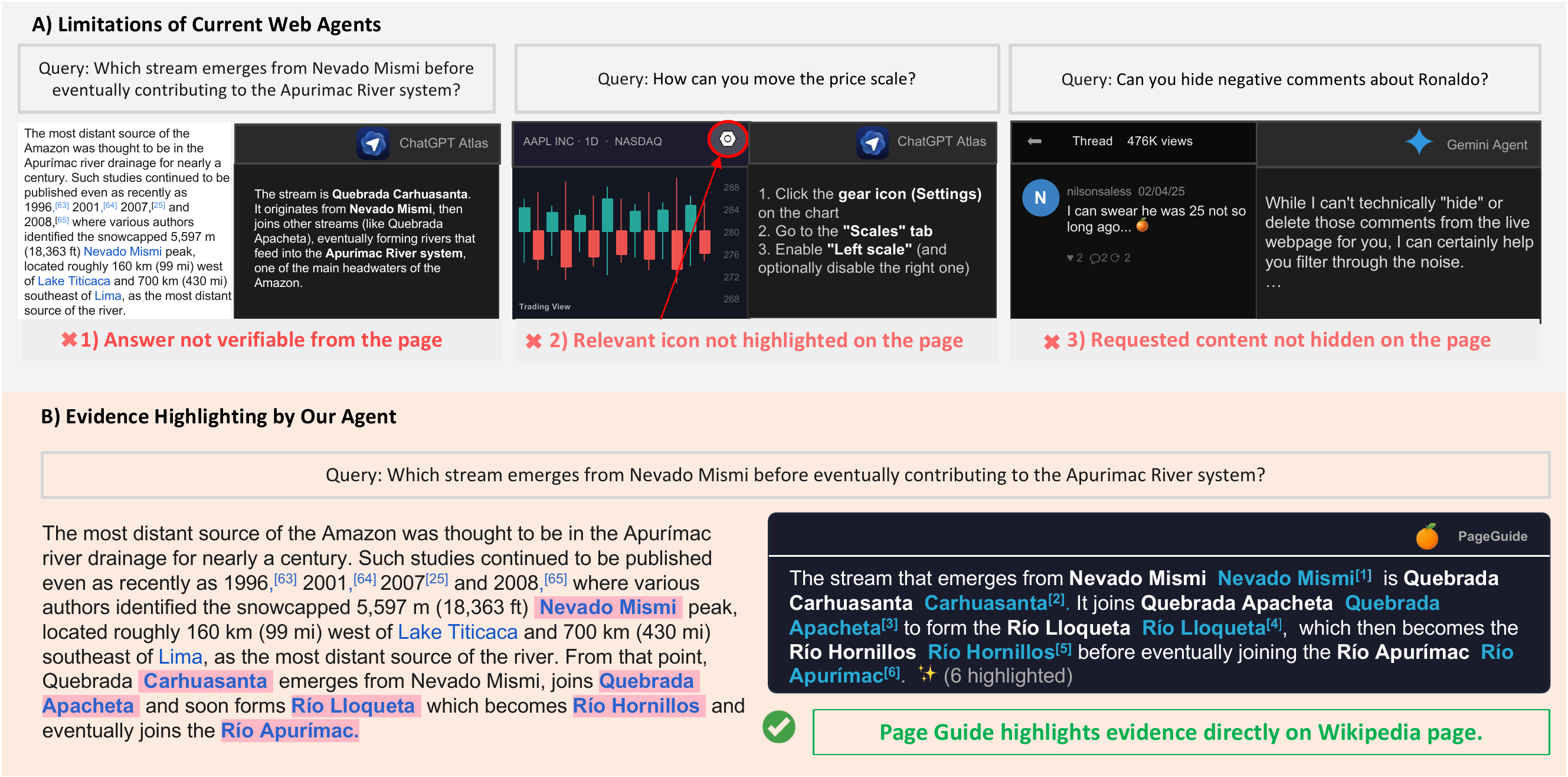
Figure 1: Existing web agents can answer or act without grounding their output in the webpage, while PageGuide highlights supporting evidence and UI elements directly on the live page so users can verify and stay in control.
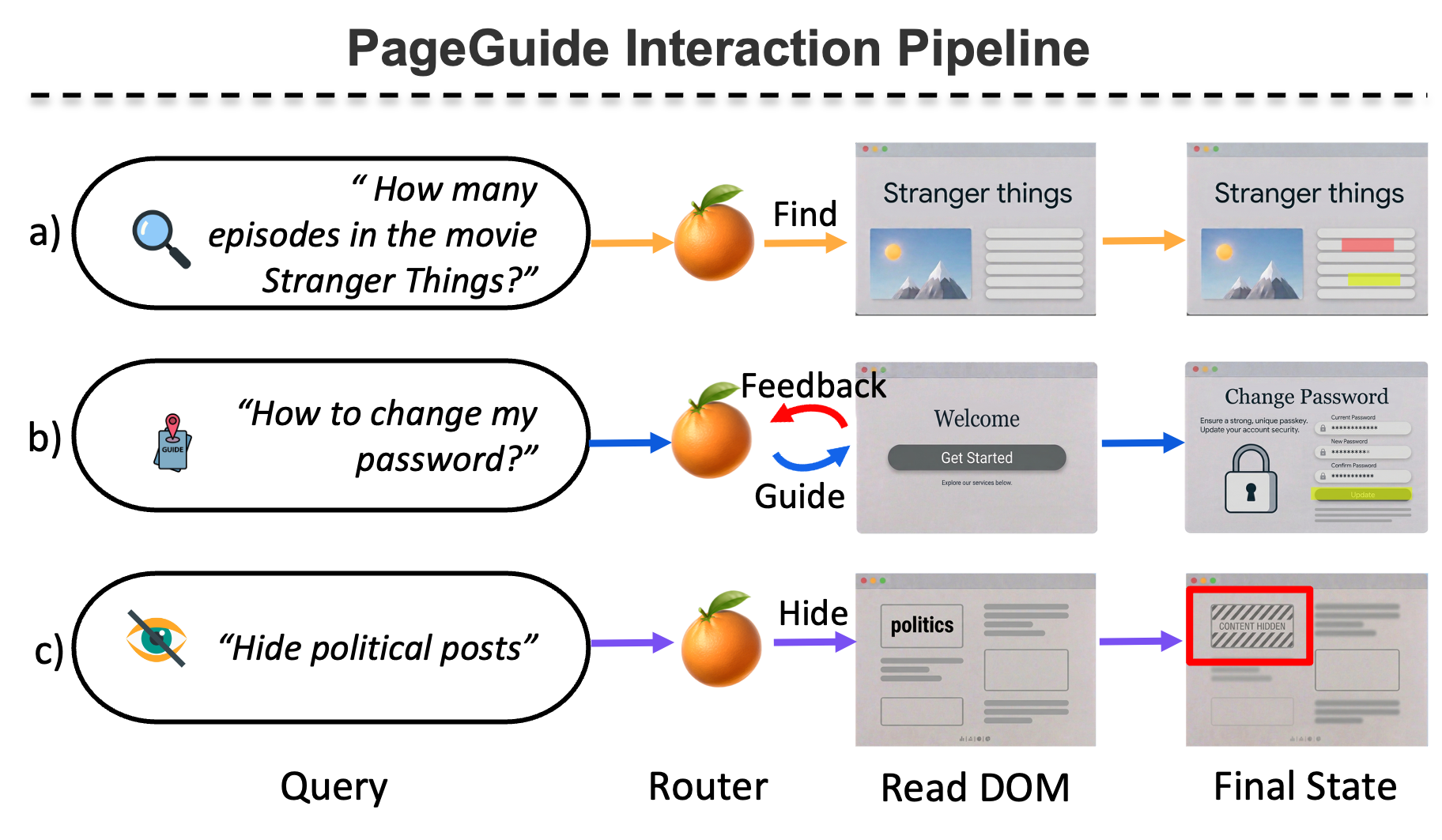
Figure 2: PageGuide routes each user query to one of three handlers: Find for factual lookup, Guide for step-by-step navigation, and Hide for reducing distracting content.
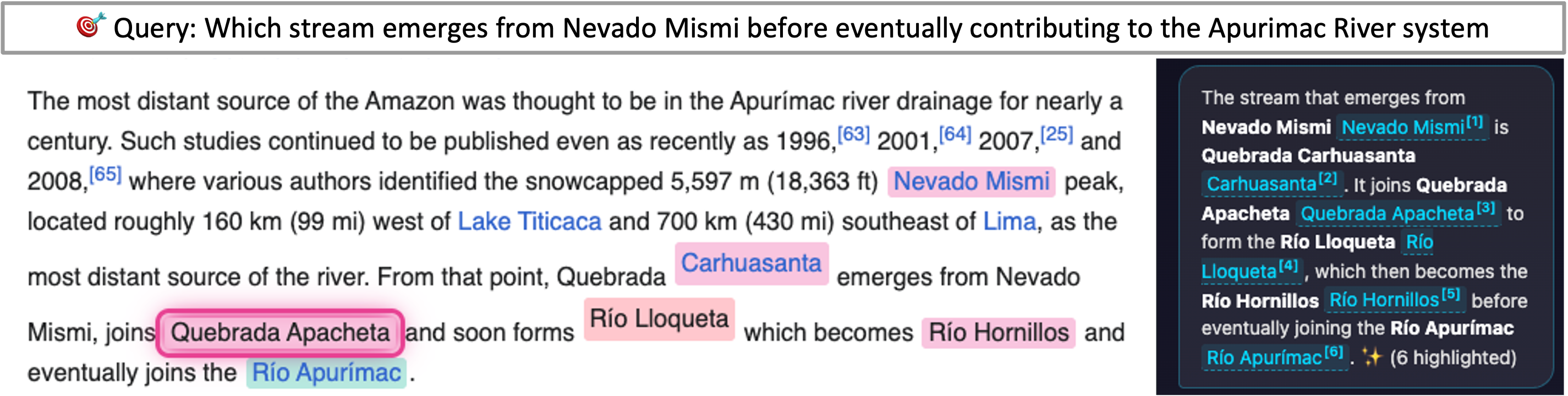
Figure 3: In Find mode, PageGuide answers questions with clickable references that navigate to highlighted evidence on the page.
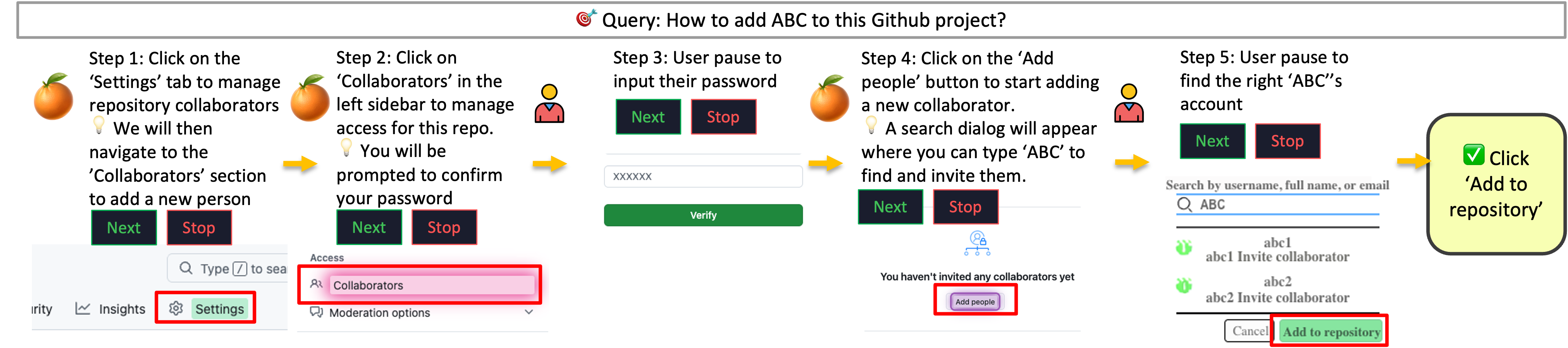
Figure 4: In Guide mode, PageGuide delivers instructions one step at a time and highlights the target UI element directly on the page.
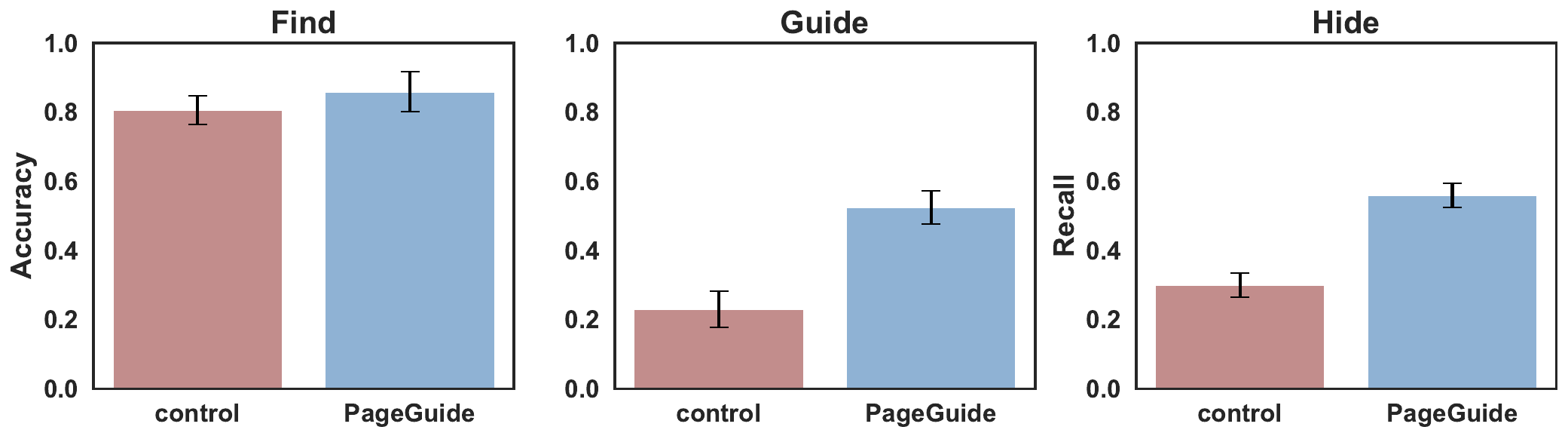
Figure 5: In a user study with 94 participants, PageGuide improves task performance across Find, Guide, and Hide modes.


