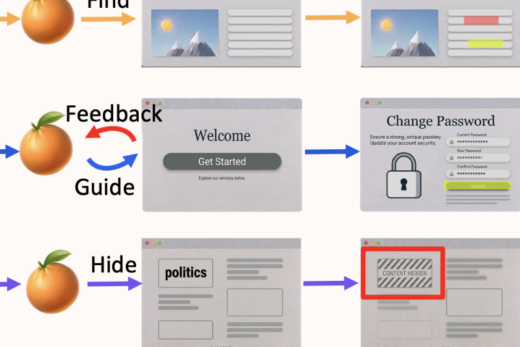
When answering questions about images, humans naturally point, label, and draw to explain their reasoning. In contrast, modern vision-language models (VLMs), e.g., Gemini-3-Pro and GPT-5, typically respond with only text, which can be difficult for users to verify. We present SketchVLM, a training-free, model-agnostic framework that enables VLMs to produce non-destructive, editable SVG overlays on the input image to visually explain their answers.
Across seven benchmarks spanning visual reasoning (maze navigation, ball-drop trajectory prediction, and object counting) and drawing (part labeling, connecting-the-dots, and drawing shapes around objects), SketchVLM improves visual reasoning task accuracy by up to +28.5 percentage points and annotation quality by up to 1.48x relative to image-editing and fine-tuned sketching baselines, while also producing annotations that are more faithful to the model’s stated answer. We find that single-turn generation already achieves strong accuracy and annotation quality, and multi-turn generation opens up further opportunities for human-AI collaboration.
🌟 Try the interactive demo here, or visit the project page for examples, results, and BibTeX.
Links:
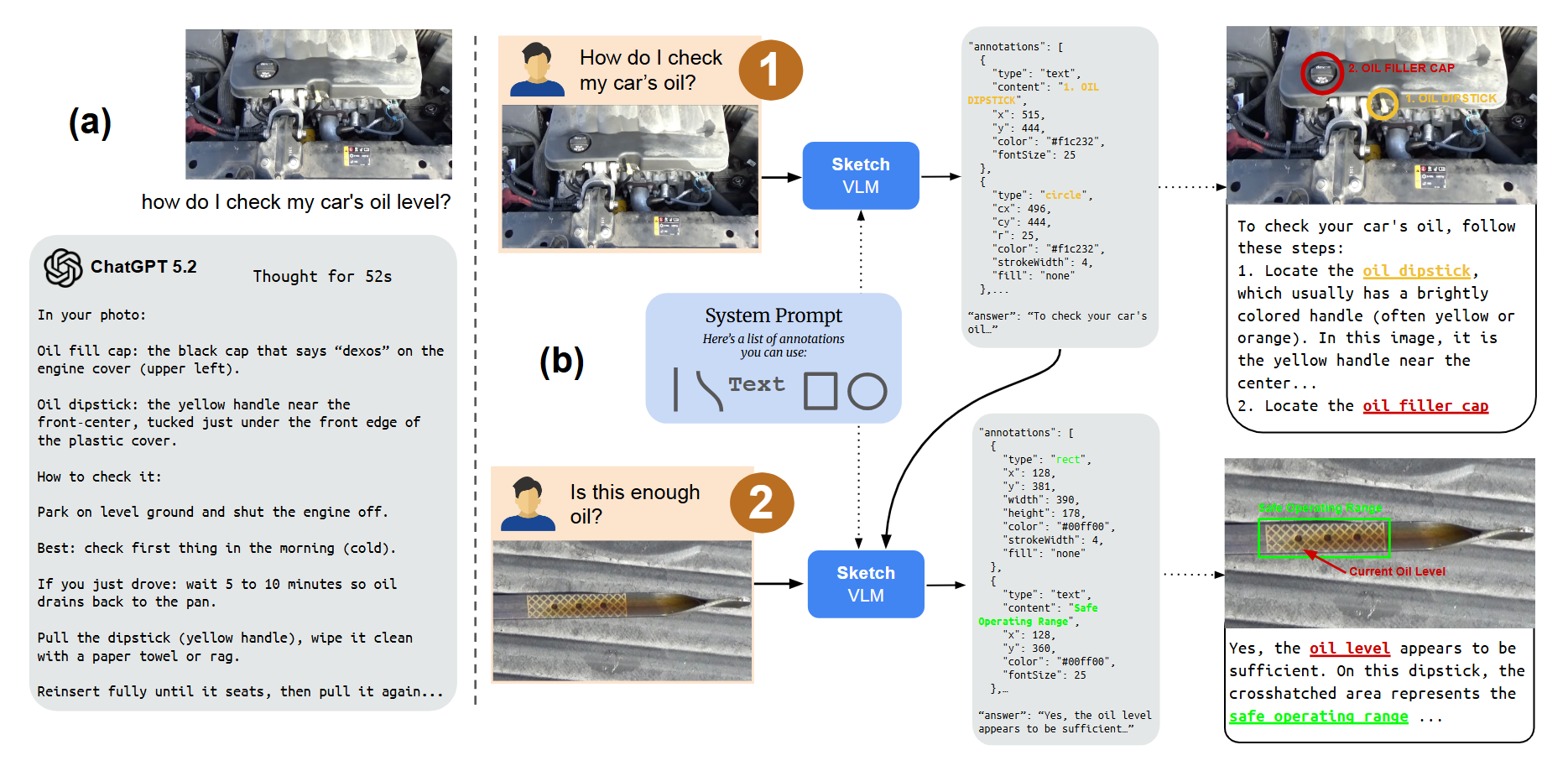
Figure 1: For complex questions, modern chatbots often return long text responses that are hard for users to understand, verify, and follow. SketchVLM instead guides users step by step by directly annotating the input image and grounding instructions in visual evidence.
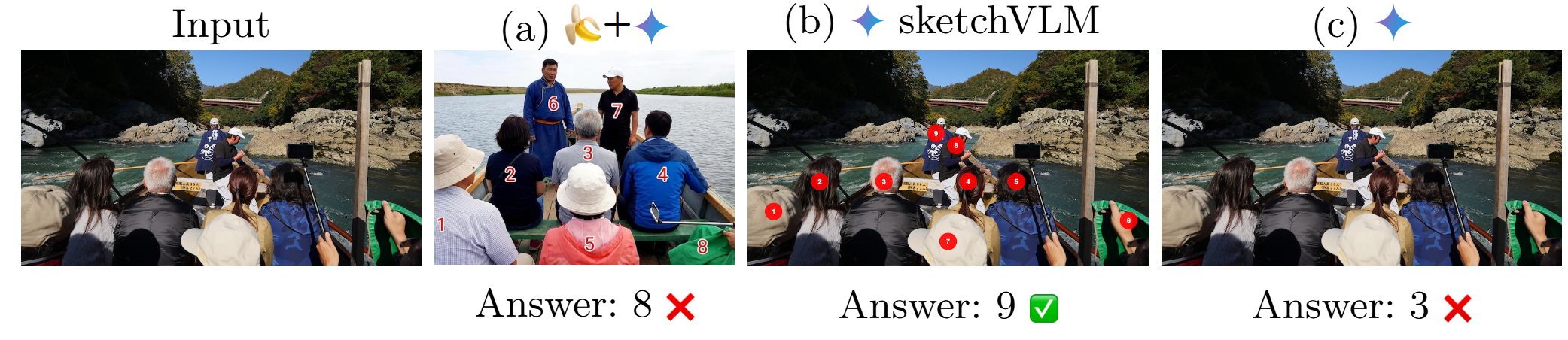
Figure 2: On object counting, SketchVLM outputs the correct answer and produces visual annotations that explain its answer, while baselines may undercount or modify the source image.
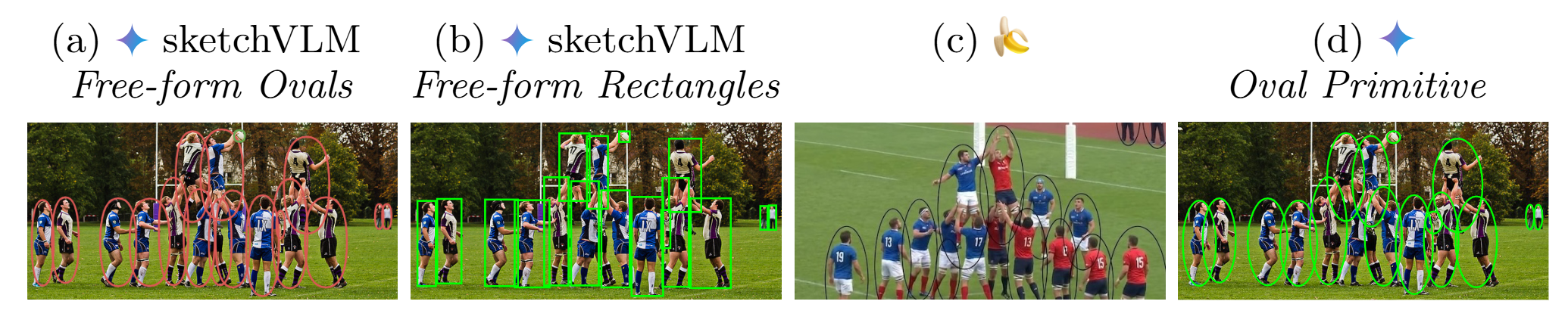
Figure 3: When prompted to outline object classes such as “person” and “sports-ball”, SketchVLM preserves the original image and draws shapes that align with object boundaries and locations.
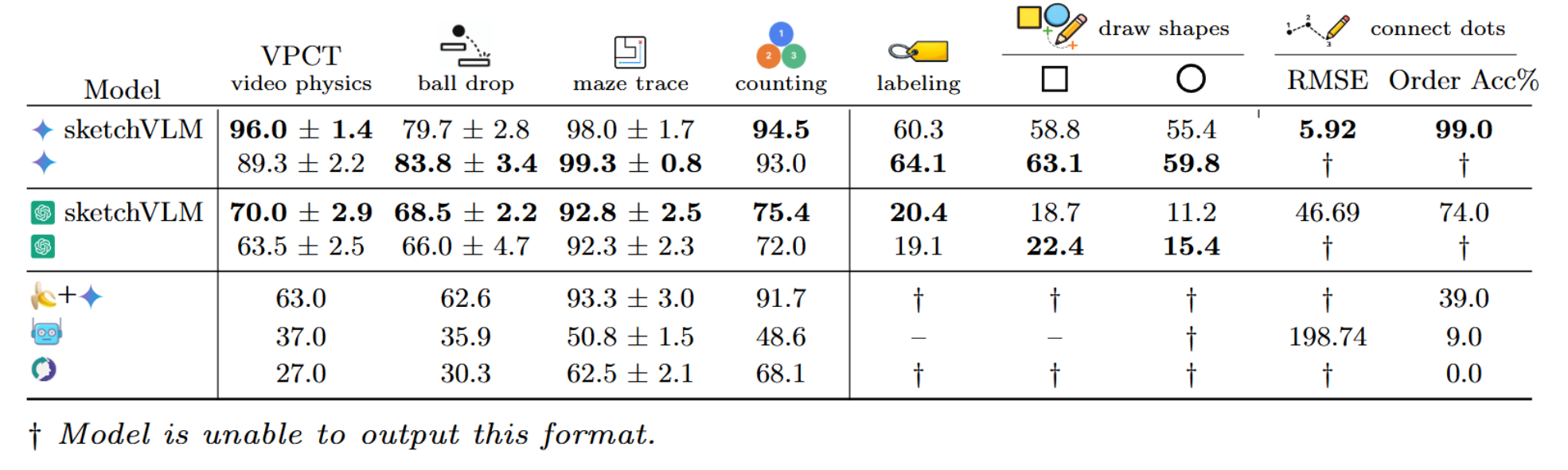
Figure 4: Prompting frontier models to output sketches with SketchVLM yields strong generalizability and accuracy compared to image-editing and fine-tuned sketching baselines.

Figure 5: Multi-turn example of SketchVLM guiding a user through how to remove an image background. At each turn, the model receives a screenshot and annotates the screenshot with arrows and highlights to indicate the next step.